Cheap Soldering Irons vs Pinecil: What Beginners Actually Need
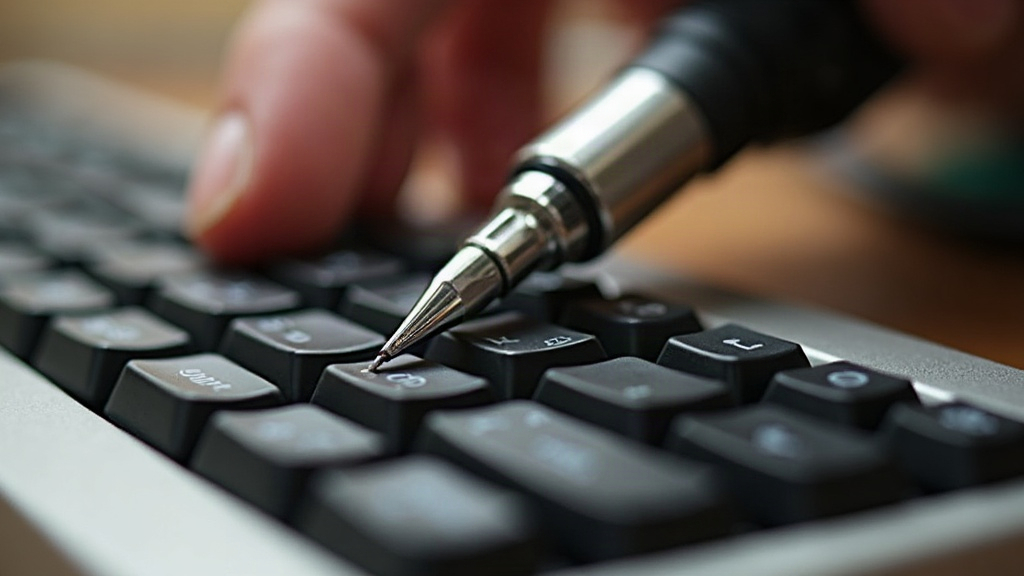
If you’re putting together your first mechanical keyboard and you’re torn between grabbing a $15 soldering iron from the hardware store or spending a bit more on a Pinecil, here’s the blunt truth: the cheap iron will frustrate you, it’ll cost you switches and PCBs through bad joints, and it’ll probably talk you out of soldering altogether. The Pinecil costs more upfront, sure, but it pays for itself on your very first board. Let’s get into why, with actual specs and actual scenarios instead of vague claims.
Why This Comparison Matters for Keyboard Builders
Keyboard PCBs don’t forgive mistakes. The switch pads and diodes are tiny, packed close together, and they hate excess heat. Soldering a thick speaker wire or wiring up a basic LED is nothing like this. Keyboard work needs steady, controllable temperature and a tip that heats fast enough that you’re not parked on a pad for ten seconds, slowly cooking it.
And this is precisely where cheap irons fall apart.
What’s Wrong With Hardware Store Irons
A typical $10-$20 hardware store iron, usually a bare-bones 30W-60W pencil iron with zero digital control, has three problems that matter a lot once you’re working on a keyboard:
- No temperature control. Plenty of these only have an on/off switch. The tip sits at one fixed temperature (often too hot) or swings wildly as it tries to recover heat between joints.
- Slow recovery time. Touch a joint and the tip loses heat instantly. Cheap irons crawl back to working temperature, which tempts you to just leave the tip on the pad a little longer. That’s the number one cause of lifted pads on keyboard PCBs. Ask anyone who’s peeled a pad off a $150 board by accident.
- Poor tip quality. A lot of these irons ship with thick, oxidized, or badly plated tips that don’t transfer heat well. The result: cold joints, the dull, grainy-looking solder blobs that cause keys to work one day and die the next.
On a $20 breadboard project, none of this really matters. On a $150 keyboard PCB with 70-plus solder joints, it’s a genuine gamble.
What Makes the Pinecil Different
The Pinecil is a small, open-source smart soldering iron running around $25-$35, not a huge jump from a “decent” hardware store iron in price, but a completely different animal in practice:
- Digital temperature control, adjustable in 1-10°C steps, so you can set the exact temp for lead-free or leaded solder instead of guessing.
- Fast heat-up, hitting soldering temperature in about 10 seconds thanks to its ceramic heating element. No standing around waiting.
- Quick thermal recovery, so joint number 70 looks as clean as joint number one.
- USB-C PD powered, meaning it runs off a laptop charger or a power bank. No clunky brick taking up desk space.
- Replaceable, quality tips compatible with the common TS100-style lineup, so you can swap in a conical or chisel tip depending on what the PCB needs.
For keyboard building, this adds up to cleaner joints, far less chance of lifting a pad, and noticeably less fatigue when you’re grinding through 70 to 100+ solder points in a single sitting. Your hand and your patience will thank you by joint 50.
Do Beginners Really Need a Pinecil?
Not everyone starting out needs top-tier gear on day one. Here’s a more practical way to think it through:
Skip soldering entirely if:
- You’re still figuring out whether keyboard building is even your thing. Grab a hot-swap PCB instead. No iron required, no risk.
Get a Pinecil if:
- You already know you like building and want to solder PCBs, add stabilizers, or get into mods like socketing.
- You’re planning to build more than one keyboard. The cost difference disappears fast once you’re on board number two.
A hardware store iron might be “fine” if:
- You’re soldering big, simple, non-electronic stuff like stained glass or copper pipe. Just not keyboards.
Other Things Beginners Need Besides the Iron
A great iron on its own won’t guarantee clean joints. Pair it with:
- Thin rosin-core solder (0.6mm-0.8mm, 60/40 or a lead-free equivalent)
- A brass sponge or a wet sponge for cleaning the tip between joints
- Helping hands or a PCB holder so the board stops sliding around while you work
- A flux pen for the stubborn joints
- Desoldering braid or a cheap solder sucker for the mistakes you will make (everyone does, don’t worry)
Conclusion
A hardware store soldering iron might save you fifteen bucks today, but it raises your odds of ruined pads, cold joints, and a first build that leaves you discouraged. The Pinecil isn’t some luxury toy for keyboard nerds, it’s closer to the realistic baseline for anyone who wants to solder a PCB properly. If money’s tight, start with a hot-swap board instead of skimping on iron quality. But the second you’re ready to pick up solder, the Pinecil is the smarter buy, not just the nicer one.