How to Pack a Heavy Brass-Weight Custom Keyboard for Air Travel
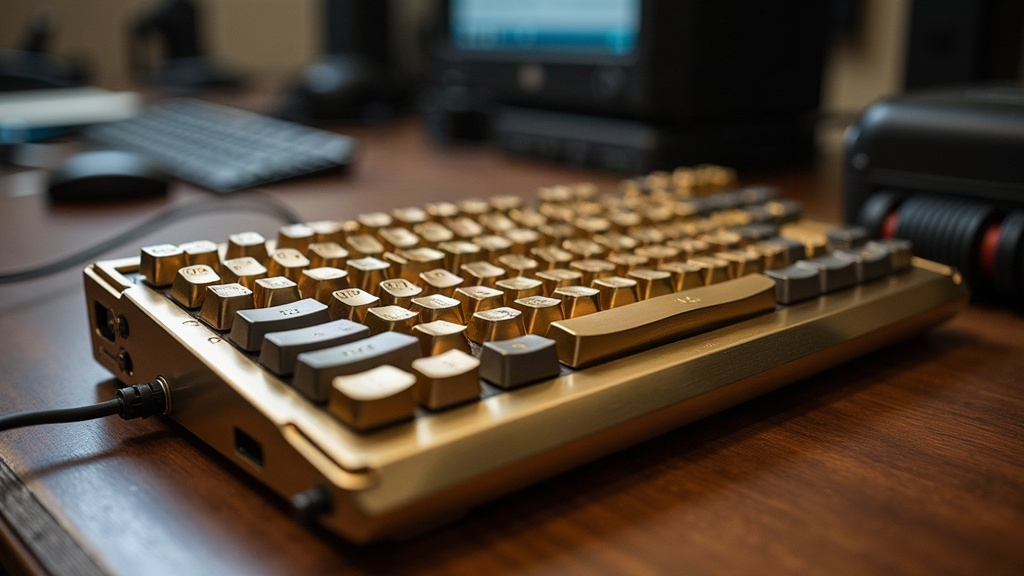
Flying With a Brass-Weight Custom Keyboard Without Wrecking It
Traveling internationally with a heavy brass-weight custom keyboard isn’t a “just toss it in the backpack” situation. The dense metal plate, the delicate switches, the artisan keycaps you probably spent months hunting down on a group buy… none of that is cheap or easy to replace once you land somewhere without a local keyboard scene. Short version: get a rigid hard case, isolate the board with foam or packed clothing, pull loose keycaps if space is tight, and keep it in your carry-on. Never check it.
Why Brass-Weight Keyboards Need Special Care
Custom mechanical keyboards built with brass weights (think Mode Sonnet, Qwertykeys builds, or an NK65 Entry) run heavier and denser than anything you’d buy off a store shelf, often sitting at 2 to 4 lbs. That extra mass isn’t just dead weight. It changes how the board behaves under stress:
- Impact damage scales with weight. A 3-lb brick hits a lot harder than a 1.5-lb plastic board when a baggage handler drops your bin from three feet up.
- Brass plates can shift inside a loose case. Empty space means the plate rattles around and puts stress on the PCB and switch pins, sometimes without any visible sign until you try to type.
- Artisan keycaps and boutique switches are often one-off. Crack a Signature Plastics artisan or snap a switch stem in a country with no local keyboard shops, and you’re out of luck until you get home.
- Dense metal draws more attention at security. X-ray operators flag it more often than a laptop, so budget extra time for a hand check.
Step 1: Choose the Right Case
Skip the stock cardboard box the keyboard shipped in. It was built to survive one trip from a warehouse to your door, not a transatlantic flight with three layovers.
- Hard-shell Pelican-style cases (Pelican 1200, Nanuk 904) give you crush resistance and keep water out if your bag sits on a wet tarmac.
- Purpose-built keyboard travel cases for 60%, 65%, or 75% layouts are now made by KBDfans, Eloquent Clicks, and Capsule, with foam already cut to fit brass-weight builds. Worth the $40-80 if you’re flying with this thing more than once.
- Soft sleeves alone won’t cut it. They stop scratches, not a hard knock against a conveyor belt.
Step 2: Protect the Switches and Keycaps
Do this before the board ever goes into the case:
- Leave the keycaps mounted if your case has the clearance. Pulling and reseating keycaps repeatedly risks bending stabilizer wires or switch pins, and that’s a worse problem than a few scuffed caps.
- If you do need to pull keycaps for a tighter fit, store them in a divided pill organizer or a dedicated keycap tray, labeled row by row (yes, label them, you will forget which row is which after a 14-hour flight). Wrap exposed switches with a thin microfiber cloth to keep lint and dust out.
- Lay a thin foam sheet or felt layer directly over the switches before you shut the case lid. It’s a five-second step that saves you from a bent stem later.
Step 3: Eliminate Internal Movement
Movement is the single biggest cause of damage in transit. Not drops, not weather, just the board sliding half an inch every time the case gets tilted.
- Use custom-cut EVA or Pluck foam shaped to the exact outline of your board. Pelican and Nanuk both sell pre-cut foam kits, or you can order custom foam online for about $20-30.
- Using a generic case? Fill every gap with rolled-up clothing, bubble wrap, or a packing cube. Anything that stops the board from shifting when the case gets turned sideways.
- Wrap the board itself in a microfiber cloth or anti-static bag before it goes into the padded case. Two layers of protection beat one every time.
Step 4: Carry-On vs. Checked Baggage
Carry-on, every time, no exceptions, when you’re flying internationally with a brass-weight board.
- Checked baggage gets thrown, stacked, and occasionally rained on. It’s also the baggage most likely to walk off at a layover in an unfamiliar airport.
- Most airlines are fine with mechanical keyboards as carry-on items. If your board is wireless, check the lithium battery rules: built-in batteries need to stay under 100Wh, which basically every keyboard battery does (we’re talking a few Wh here, nowhere close to the limit).
- If the case is just too bulky for an overhead bin, ship it ahead with an insured courier (DHL or FedEx) and require a signature on delivery. That beats checking a $600 keyboard as luggage any day.
Step 5: Prepare for Airport Security
- Expect a hand inspection. The dense brass plate reads as an unusual mass on X-ray and will get flagged more often than not.
- Keep the case within easy reach, not buried under your jacket and a laptop sleeve at the bottom of your bag. You don’t want to be digging through everything while a line forms behind you.
- A printed photo or a one-page spec sheet of the build can help if a customs officer in an unfamiliar country wants to know what exactly they’re looking at. Sounds excessive, but it’s saved people real time at smaller international airports.
Step 6: Humidity and Temperature Considerations
Brass tarnishes faster in humid climates (ask anyone who’s brought a board to Southeast Asia in July), and PCB solder joints don’t love extreme heat either, like what you’d get sitting in a hot cargo hold or a parked car.
- Drop a silica gel packet into the case to keep moisture in check.
- Don’t leave the case baking in a car trunk or in direct sun during a long layover. An hour in a hot trunk can do more damage than the entire flight.
Quick Packing Checklist
- Hard-shell or custom-fit travel case
- Foam padding or packing cubes to prevent movement
- Keycaps secured or left mounted
- Anti-static or microfiber wrap around the board
- Silica gel packet for moisture control
- Carry-on placement, not checked baggage
- Battery compliance checked (if wireless)
Bottom Line
A brass-weight custom keyboard is closer to a small investment piece than a piece of office equipment, and it deserves to be packed like one. Rigid case, foam that actually fits, no room to shift, carry-on only, and a little attention paid to humidity and security screening. Do those six things and your board lands the same way it left: no dents, no bent pins, ready to type the second you open the case.