Polycarbonate vs Frosted Acrylic Cases for RGB Underglow Diffusion
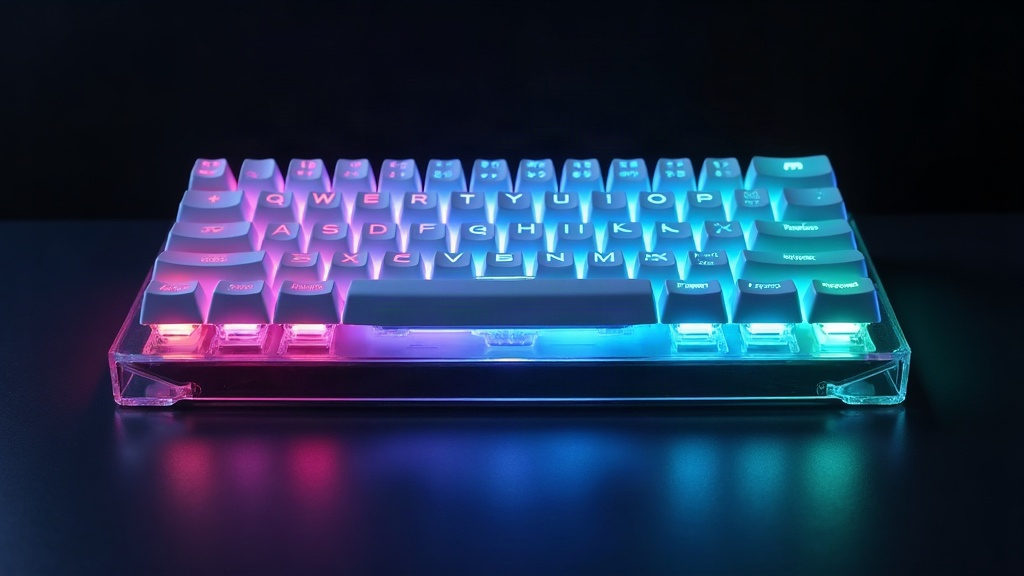
If you’re chasing that soft, cloud-like glow around your mechanical keyboard, the case material you pick matters more than almost any other part of the build. Polycarbonate (PC) generally gives you a smoother, more even underglow with less visible hotspotting. Frosted acrylic, on the other hand, pushes out a brighter, punchier glow with slightly more defined light points. Which one’s right for you really comes down to this: do you want uniform ambient light, or do you want that vibrant, high-contrast pop?
Why Case Material Affects RGB Diffusion
Underglow RGB works by bouncing and scattering light through a translucent material before it ever reaches your eyes. Two things decide how that ends up looking:
- Light transmission rate: how much light actually passes through versus gets absorbed
- Scattering behavior: how the light spreads out as it travels through the material’s internal structure
Clear materials let light through directly, which creates sharp, distinct LED points (what most builders call “hotspots”). Frosted or opaque materials scatter that light internally, softening the points into a smoother glow, though you lose a bit of brightness in the trade.
Polycarbonate: The Soft-Glow Champion
Polycarbonate cases, especially the milky or semi-opaque ones, are a favorite in the custom keyboard community for one simple reason: they handle light beautifully.
Strengths
- Superior diffusion: PC’s molecular density scatters light far more thoroughly than acrylic does, giving you a genuinely uniform glow with almost no visible LED dots, even if you’re looking at it up close.
- Durability: Polycarbonate shrugs off impacts way better than acrylic. It resists cracking around screw holes and USB cutouts, which is honestly one of the most common failure points in acrylic builds.
- Thermal stability: PC tolerates the heat from LEDs over long sessions without yellowing nearly as fast.
Weaknesses
- Slightly dimmer output: Since more light gets scattered instead of transmitted straight through, overall brightness can come in 10-20% lower than acrylic under identical LEDs.
- Higher cost: PC cases, especially CNC-milled or injection-molded ones, usually run 20-40% more than comparable acrylic options.
- Limited colorways: Fewer group buys offer polycarbonate in exotic tints. Acrylic just has a much wider palette to pick from.
Frosted Acrylic: Vibrant but Less Uniform
Frosted (sandblasted or chemically etched) acrylic has long been the go-to for budget and mid-range custom builds, and it’s easy to see why.
Strengths
- Brighter glow: Acrylic transmits more raw light, so colors come out more saturated and vivid, especially deep blues, purples, and reds.
- Affordability: Laser-cut acrylic cases are everywhere and cheap to produce, which makes them an easy entry point for beginners.
- Variety: Much easier to find in smoked, translucent, and tinted finishes if you’re chasing a specific look.
Weaknesses
- Visible hotspots: Even with a frosted finish, acrylic will often show distinct bright points right above each LED, especially on thinner panels (under 5mm).
- Brittleness: Acrylic cracks more easily under stress, particularly near mounting points or during shipping. Ask anyone who’s unboxed a group buy case with a hairline crack already in it.
- Yellowing over time: UV exposure discolors frosted acrylic noticeably faster than polycarbonate.
Side-by-Side Comparison
| Factor | Polycarbonate | Frosted Acrylic |
|---|---|---|
| Diffusion quality | Excellent, uniform | Good, some hotspots |
| Brightness | Moderate | High |
| Durability | High | Moderate to low |
| Cost | Higher | Lower |
| Color options | Limited | Wide variety |
Practical Tips for Better Diffusion Regardless of Material
- Increase case thickness: A thicker panel (6mm or more) scatters light more evenly no matter what material you’re using.
- Add a diffuser layer: Slip a thin frosted acrylic sheet or even a fabric diffuser between the PCB and the case. It cuts hotspots dramatically, and it’s a cheap fix.
- Space LEDs properly: Underglow LEDs sitting too close to the case surface create sharper, harsher points. Bump the gap up to 3-5mm and the effect softens noticeably.
- Use warmer color temperatures: Lower-brightness, warmer RGB settings diffuse more smoothly than cranking cool white to max brightness.
Which Should You Choose?
- Go with polycarbonate if you want that premium, smooth, hotspot-free glow and you don’t mind paying more or giving up a touch of brightness.
- Go with frosted acrylic if you’re working with a tighter budget, want vivid colors, and can live with slightly visible LED points (or just add a diffuser layer to fix it).
Conclusion
Both materials can produce a beautiful RGB underglow, just in different ways. Polycarbonate wins on diffusion quality and long-term durability. Frosted acrylic wins on brightness, cost, and how many finishes you can choose from. If you want the smoothest glow possible, pair polycarbonate with a diffuser layer and proper LED spacing. That’s the combo most enthusiasts land on after trying both sides of the fence.