Genuine Topre vs NiZ: Which Reduces Finger Fatigue More?
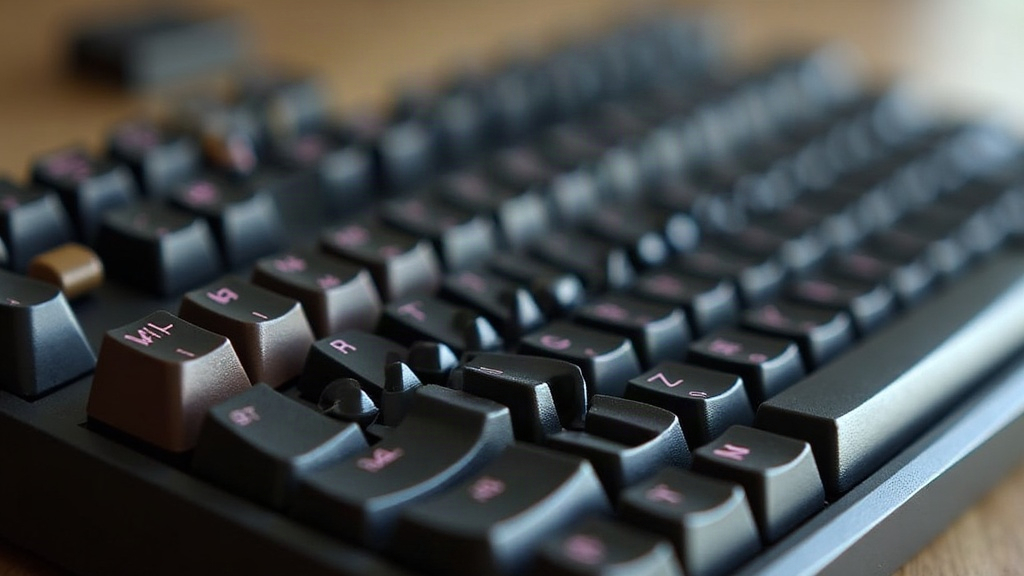
If you spend eight-plus hours a day typing code, the switch under your fingers matters more than most people admit. Genuine Topre and NiZ electro-capacitive switches both use a rubber dome collapsing over a capacitive sensor instead of a metal contact, but they feel, sound, and fatigue your hands in pretty different ways. This guide breaks down the real mechanical differences and what they mean for long coding sessions.
How Electro-Capacitive Switches Actually Work
Both Topre and NiZ switches skip the metal-on-metal contact point you’d find in Cherry-style mechanical switches. Instead, a conical rubber dome compresses a spring, and a capacitive PCB underneath picks up the change in distance to register a keystroke. No contact, no bounce. This design produces:
- A tactile “thock” rather than a sharp click
- No physical contact bounce, so debounce delay can be shorter
- A smoother force curve than most mechanical switches
The real difference comes down to dome quality, spring geometry, and tuning. That’s exactly where Topre and NiZ part ways.
Genuine Topre: The Original Electro-Capacitive Feel
Topre switches (the ones inside Realforce and HHKB keyboards) are made in Japan under tightly controlled rubber dome tolerances. Standard Topre domes come in:
- 45g uniform — consistent weighting across all keys, popular with programmers who want predictable resistance
- Variable weighting (45g/55g/30g) — heavier keys on pinkies for stability, lighter on stronger fingers
- 35g and 30g lighter domes — aftermarket upgrades favored for reduced effort
Why Programmers Like Genuine Topre
The dome’s progressive force curve means the switch feels soft at the top of the stroke and firms up right before actuation. Typists often describe this as self-correcting: your finger naturally stops near the actuation point instead of slamming all the way down. If you’re typing symbol-heavy code all day (brackets, pipes, underscores, the usual suspects), that matters. Fewer micro-impacts means less tendon strain building up by 4pm.
NiZ: The Adjustable Alternative
NiZ switches copy the Topre mechanism but throw in something genuine Topre doesn’t offer out of the box: swappable actuation force via spring/dome kits. Most NiZ boards ship with 35g, 45g, or 75g domes, and a lot of models let you mix weights per key, or swap an entire set of domes in about ten minutes with nothing more than a keycap puller.
Key NiZ Advantages for Fatigue Reduction
- 35g domes are noticeably lighter than Topre’s stock 45g, which means less force per keystroke. Over 60,000+ keystrokes a day, that adds up fast.
- Adjustable actuation point on some NiZ models (EC switches with depth control, for instance) lets you shorten travel, so your fingers don’t have to extend as far.
- Lower cost per unit makes it realistic to experiment with two or three weight configurations instead of committing to one board for years.
The catch: NiZ’s rubber domes and PCB tuning aren’t as consistent batch to batch as genuine Topre’s. On some units the tactile bump feels a touch mushier, and you’ll notice it if you switch back and forth between boards.
Side-by-Side for Coding Workloads
| Factor | Genuine Topre | NiZ |
|---|---|---|
| Stock actuation force | 45g (uniform common) | 35g/45g/75g options |
| Force curve consistency | Very high | Moderate |
| Travel distance | ~4mm | ~4mm, some adjustable |
| Customization | Limited (dome swap kits exist but pricier) | Extensive, affordable |
| Build/PCB consistency | Excellent | Good, variable |
| Price (board average) | $220–$350 | $90–$180 |
Which One Actually Reduces Fatigue More?
For most programmers, it really depends on where you’re starting from.
- If you currently use loud, heavy mechanical switches (Blue, heavy Black): either Topre or NiZ will cut fatigue noticeably, just from the softer bottom-out and lower peak force alone.
- If you want the lightest possible touch: NiZ’s 35g domes beat stock Topre 45g on raw force reduction. No contest there.
- If you want the most consistent, predictable feel over years of daily use: genuine Topre wins on manufacturing tolerance. And this matters more than it sounds: inconsistent dome response can actually increase fatigue, because your fingers never fully calibrate to a reliable feedback point.
A practical middle path a lot of programmers land on: start with a Topre board to get used to the consistency, then try a NiZ with 35g domes later if you want to push actuation force even lower, once you already know you like the electro-capacitive feel.
Quick Buying Checklist
- Confirm genuine Topre certification if you’re buying a Realforce or HHKB clone. Counterfeit domes are out there, and they’re not subtle once you type on them.
- For NiZ, check whether the specific model supports dome swapping before assuming customization comes standard.
- Pair either switch type with a wrist rest. Even the lightest switch will tire you out if your wrist angle is off.
- Test variable-weight layouts if you type long passwords, lots of symbols, or code with heavy pinky use (brackets, semicolons, all of it).
Conclusion
Genuine Topre offers unmatched consistency and a refined, self-correcting force curve, ideal if you value long-term reliability over a decade of daily typing. NiZ gives you lighter, more customizable actuation at a fraction of the price, which appeals to anyone chasing the absolute minimum keystroke effort. Neither one is objectively “better” for fatigue. Match the switch to your typing habits, hand size, and tolerance for a bit of batch inconsistency, and you’ll get real relief either way.