30-Day Colemak Guide: Transitioning to a 40% Ortholinear Board
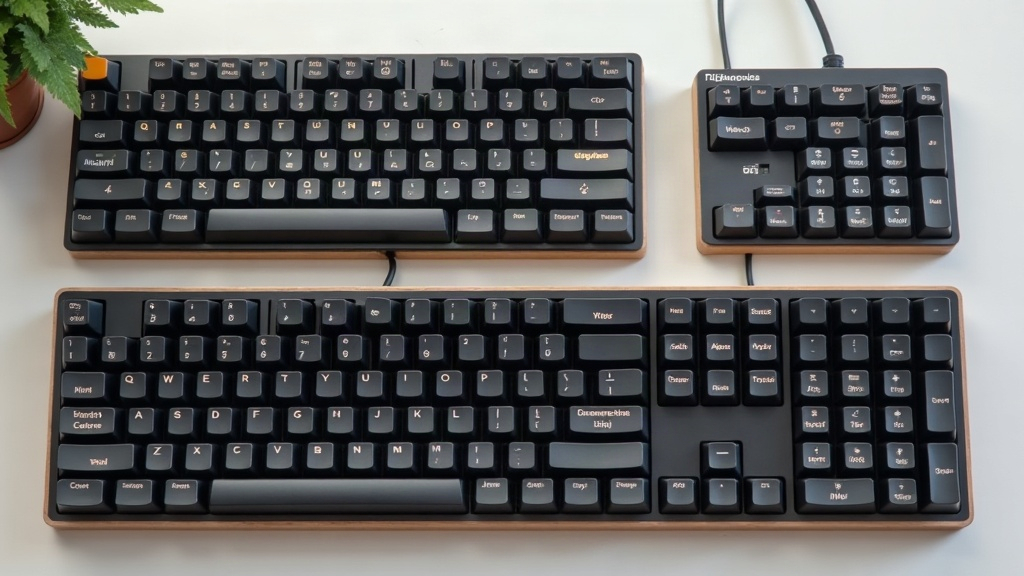
Switching to a 40 percent ortholinear layout while learning Colemak at the same time is basically the ultimate brain-rewiring exercise. You’re ditching two things your hands have relied on for years: the staggered rows you grew up typing on, and the QWERTY layout burned into your muscle memory. This 30-day guide breaks the transition into weekly chunks so you can survive the process without torching your productivity (or your patience) along the way.
Why Combine a 40% Ortholinear Board with Colemak?
Doing both at once sounds like masochism. Why make two hard changes harder by stacking them?
Because they actually reinforce each other. A 40% board’s whole purpose is cutting hand travel down to almost nothing, every key sits within a single unit of your fingers. The ortholinear grid removes the horizontal stretch you’d normally do on a staggered board, so your fingers travel in clean, straight lines instead of diagonal reaches. Colemak then takes that efficiency and applies it to letter placement, putting the most common English letters right on your home row. Put the two together and you get something genuinely different: wrists that barely move, fingers doing a fraction of the work they used to.
Week 1: Embracing the Grid and the Home Row
Goal: build basic muscle memory for the grid itself and for the new letter positions.
Your worst enemy this week will be the bottom row, guaranteed. On a normal staggered board, your left index finger drifts down and to the right to hit ‘C.’ On an ortho board, that same finger just goes straight down. Doesn’t sound like much, but that tiny geometry shift is going to produce typo after typo for days.
- Stick to letters only. Don’t even think about numbers or symbols yet.
- Use a typing tutor. Put in 30-45 minutes a day on Keybr or Monkeytype. Keybr works especially well for Colemak since it introduces letters based on frequency and adapts to your specific error patterns.
- Resist looking down. Blank keycaps help here, or just leave your old QWERTY caps on the board. Peeking at the keys will only confuse your hands, since what your eyes see contradicts what your fingers are trying to learn.
Week 2: Conquering the Layers
Goal: memorize your QMK or VIA layer maps cold.
A 40% board has no number row, no function row, and no dedicated symbol keys. To type a “7” or a ”%” you’ll need layers, think of it like Shift giving you a capital letter, except now a thumb key unlocks an entirely different set of characters.
Recommended Layer Structure
Keep it simple and logical. Since your thumbs already sit on the spacebars, that’s your natural spot for layer toggles.
- Nav/Num Layer: left thumb hold. Numbers go on the top row (Q through P in Colemak terms), arrow keys land on the home row (H, N, E, I, or M, N, E, I depending on your preference).
- Symbol Layer: right thumb hold. Put your most-used symbols, parentheses, brackets, the equals sign, directly on the home row where you’d expect letters.
Tip: print your layer map and tape it under your monitor. Glance at the paper when you’re stuck, not the keyboard itself.
Week 3: Building Speed and Real-World Integration
Goal: hit 30-40 WPM and start actually using the board for work.
By now the neural wiring is mostly there. You’ll still fumble occasionally, but the layout has stopped feeling like a foreign language and started feeling like, well, a layout. Time to move this thing out of practice sessions and into your actual day.
- Ease in gradually. Try it for casual stuff first, Slack messages, quick emails, a Discord chat with friends.
- Keep a “bailout” board handy. Leave your old QWERTY keyboard plugged in nearby. Got a deadline in 20 minutes and need to bang out 90 WPM right now? Switch over, no shame in it. But the second the fire’s out, switch back to the ortho board. Don’t let the bailout become a permanent retreat.
- Drill common bigrams. Colemak rolls like ‘ar,’ ‘st,’ and ‘ne’ show up constantly. Practicing them specifically speeds up your overall fluency faster than generic random-word drills.
Week 4: Achieving Fluency and Tweaking
Goal: break 50 WPM and start customizing your firmware.
At this point you’re a legitimately functional Colemak typist on an ortho grid. Now’s the moment to notice what’s still bugging you.
Reaching awkwardly for Backspace every time? Move it into your thumb cluster. Annoyed at holding a layer key just to type a comma or a period? Look into “Mod-Tap” (tap the key for a letter, hold it for Ctrl or Alt) or Home Row Mods, both are staples in QMK firmware. This is really where the 40% form factor shows its real advantage: you’re not stuck with someone else’s idea of a good layout, you build the one that fits your hands and your workflow exactly.
Conclusion
Learning Colemak and an ortholinear grid at the same time is a genuinely steep climb, no sugarcoating that. But broken into stages, grid first, then layers, then speed, it’s manageable. Follow the plan for 30 days and stick with it even when week one makes you want to throw the keyboard across the room. What you get on the other side is a typing setup that’s faster, easier on your hands, and shaped entirely around how you actually work.