Mechanical Keyboard Lap Desk Setup for Couch PC Gaming
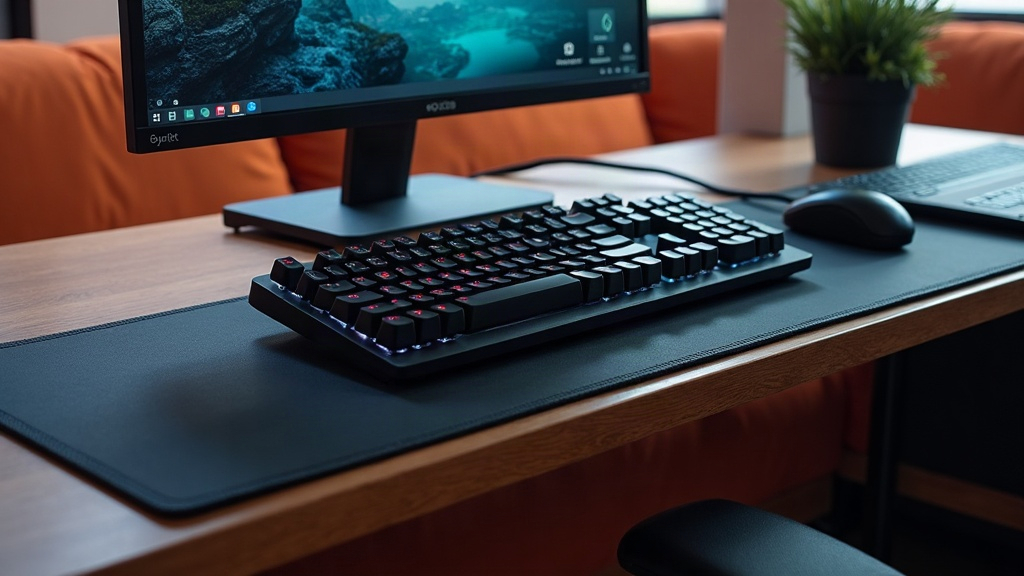
Why Couch Gaming With a Mechanical Keyboard Is Tricky
Mechanical switches have way more travel and punch than anything on a laptop or a cheap membrane board. That extra force has to go somewhere, and if your platform isn’t rock solid, it turns into vibration and drift with every keystroke. Add mouse movement into the mix (which demands a flat surface that won’t slip) and a flimsy tray turns a fun gaming session into a wrestling match with your own setup. The real challenge is recreating desk-level rigidity on something balanced across your knees or propped on a cushion.
Choosing the Right Lap Desk
Not every lap desk was built with gaming in mind. Here’s what actually matters:
- Rigid, flat top. Skip the cushioned trays with soft, uneven padding. A hard composite or wood-finish surface keeps your keyboard and mouse sitting level instead of sinking.
- Sufficient width. Aim for at least 24 inches so a full-size keyboard fits with room to spare for the mouse.
- Weighted or wide base. A broader bottom cushion (or a solid base plate) keeps the whole thing from tipping when you lean in or type hard during a clutch moment.
- Raised lip or edge. Even a small front lip stops the keyboard from creeping off the edge mid-session.
- Mouse surface integration. Some lap desks come with a built-in mousepad zone or a smooth laminate finish that plays nicely with optical sensors.
Good options here include adjustable bed/lap trays with hard tops, niche “gaming lap desk” products from smaller brands, and even repurposed drafting boards with some padding glued underneath.
Picking a Keyboard That Fits Lap Use
Not every mechanical board makes sense on your lap:
- Compact layouts (60%, 65%, or TKL) cut down on footprint, which makes it a lot easier to squeeze both keyboard and mouse onto one lap desk.
- Lower-profile switches reduce wobble and keep your wrists at a more natural angle, especially since you won’t have a palm rest to lean on.
- Wireless, low-latency 2.4GHz connections get rid of cable drag. Nothing kills a headshot like your keyboard sliding three inches because the cord caught on the couch arm.
- Weight matters more than you’d think. An aluminum-frame board with some heft stays put, while an ultra-light plastic one slides around with every keypress.
Still prefer a full-size board? That’s fine too, just make sure the lap desk underneath it is wide and stiff enough to handle it without flexing.
Mouse and Mousing Surface Considerations
Here’s the truth: a wobbly lap desk wrecks your mouse accuracy way faster than it wrecks your typing. A few fixes:
- Stick a thin, full-size mousepad to the lap desk with removable adhesive strips so it can’t shift mid-match.
- Keep a trackball or trackpad in your back pocket for couch sessions where space is tight. Some players even use a keyboard with a built-in trackpad for slower, strategy-heavy games.
- Bump your mouse DPI up slightly from your usual desk setting if the lap surface limits how far you can swipe.
Cable Management and Wireless Setup
Cables are, without question, the number one stability killer on a couch rig. Focus on:
- A wireless keyboard/mouse combo with a low-latency dongle. Skip Bluetooth-only options if you play anything competitive; the input lag is real and you’ll feel it.
- One USB extension or a small hub placed near the couch so your dongles get a clean line of sight to the devices.
- Cable clips along the lap desk’s edge for anything that has to stay wired, think headphones or a controller charging cable.
Positioning Your PC and Display
The lap desk is only half the puzzle. Screen placement matters just as much:
- Sit 6 to 10 feet from a TV or large monitor, and bump up text scaling in your OS and games so nothing’s squinting-small from across the room.
- Running a PC over HDMI from across the living room? A long high-speed HDMI cable or a wireless display adapter keeps the couch area free of clutter.
- Keep the actual PC on a side table or media console with decent airflow. Never rest it directly on the lap desk, it’ll overheat and you’ll regret it.
Comfort and Ergonomics
Even a perfectly stable lap desk still needs some ergonomic thought for marathon sessions:
- A thin wrist rest goes a long way toward easing strain from low-profile keyboards.
- Recline the couch backrest slightly and tilt the lap desk at a gentle 5-10 degree incline instead of keeping it flat. It cuts down on wrist bend more than you’d expect.
- Take a break every 45 to 60 minutes. Lap setups load up your lower back in ways a proper chair-and-desk combo simply doesn’t.
Quick Setup Checklist
- Rigid, wide lap desk with a hard top and raised edge
- Compact or TKL mechanical keyboard, ideally wireless
- Mousepad secured to the lap desk surface
- Wireless mouse with a 2.4GHz dongle
- TV or monitor positioned for readable distance
- PC placed off the lap desk, with cables managed separately
Conclusion
Getting a mechanical keyboard lap desk setup right for couch gaming really boils down to three things: a rigid, wide lap desk, a keyboard and mouse combo that won’t slide out from under you, and cable/wireless management that doesn’t fight you mid-match. Nail those three, and you get full mechanical feel with desktop-level performance, no desk chair required.